One sentence to the chatbot, an Excel list or a PDF form is all it takes: Floriti turns it into registers, questionnaires and approval workflows. No programming, no project, no waiting.
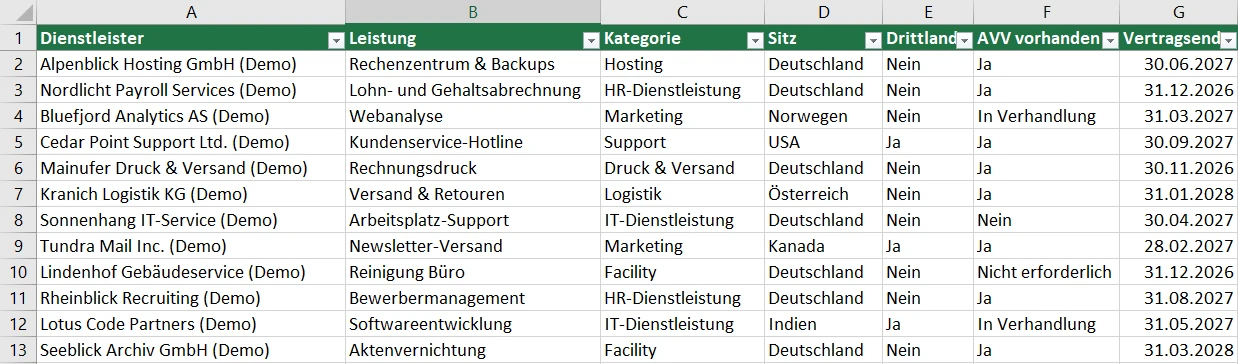
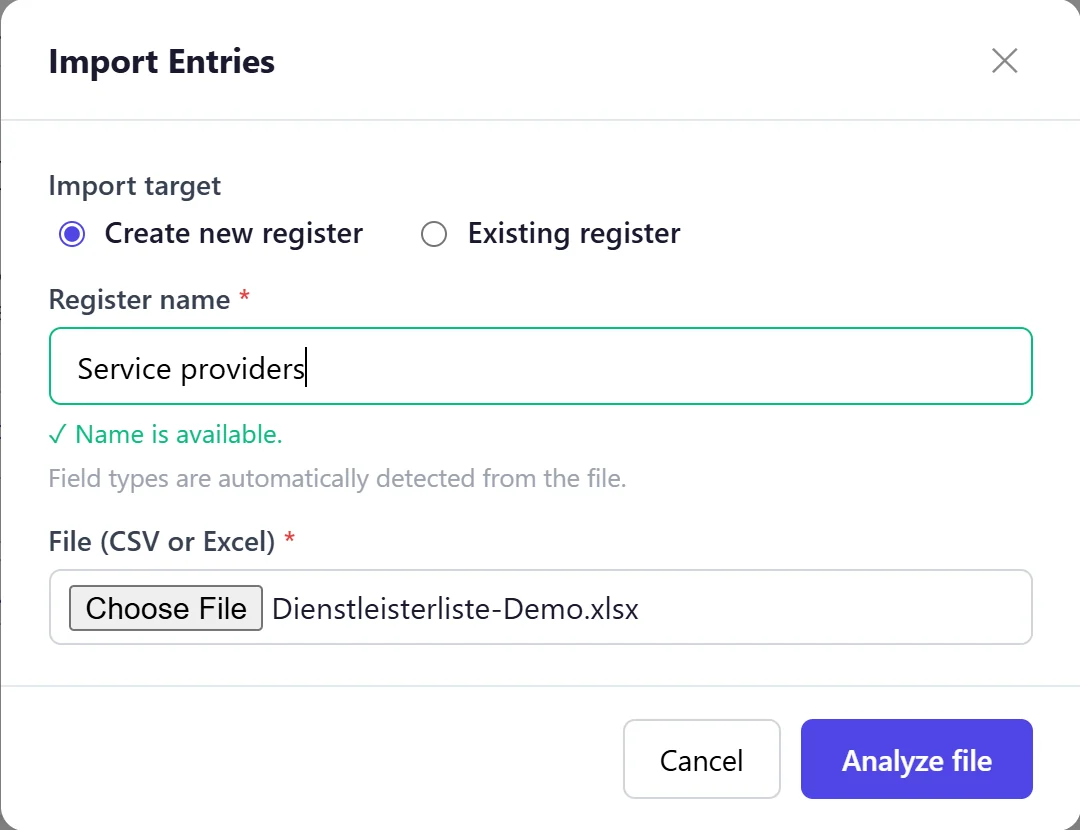
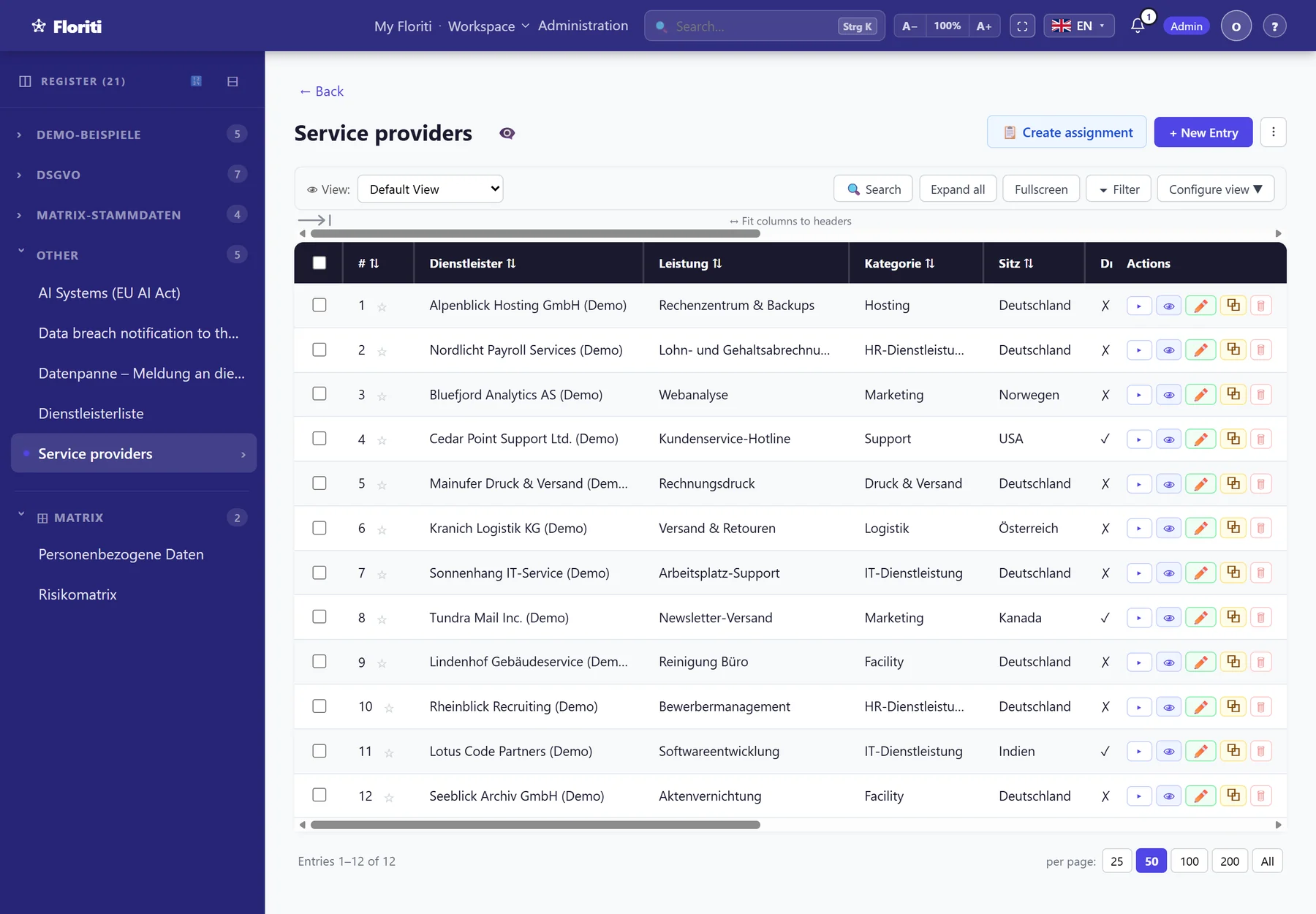
Need a new register? Want to load data from other systems into Floriti? Just upload an Excel file and you are done.
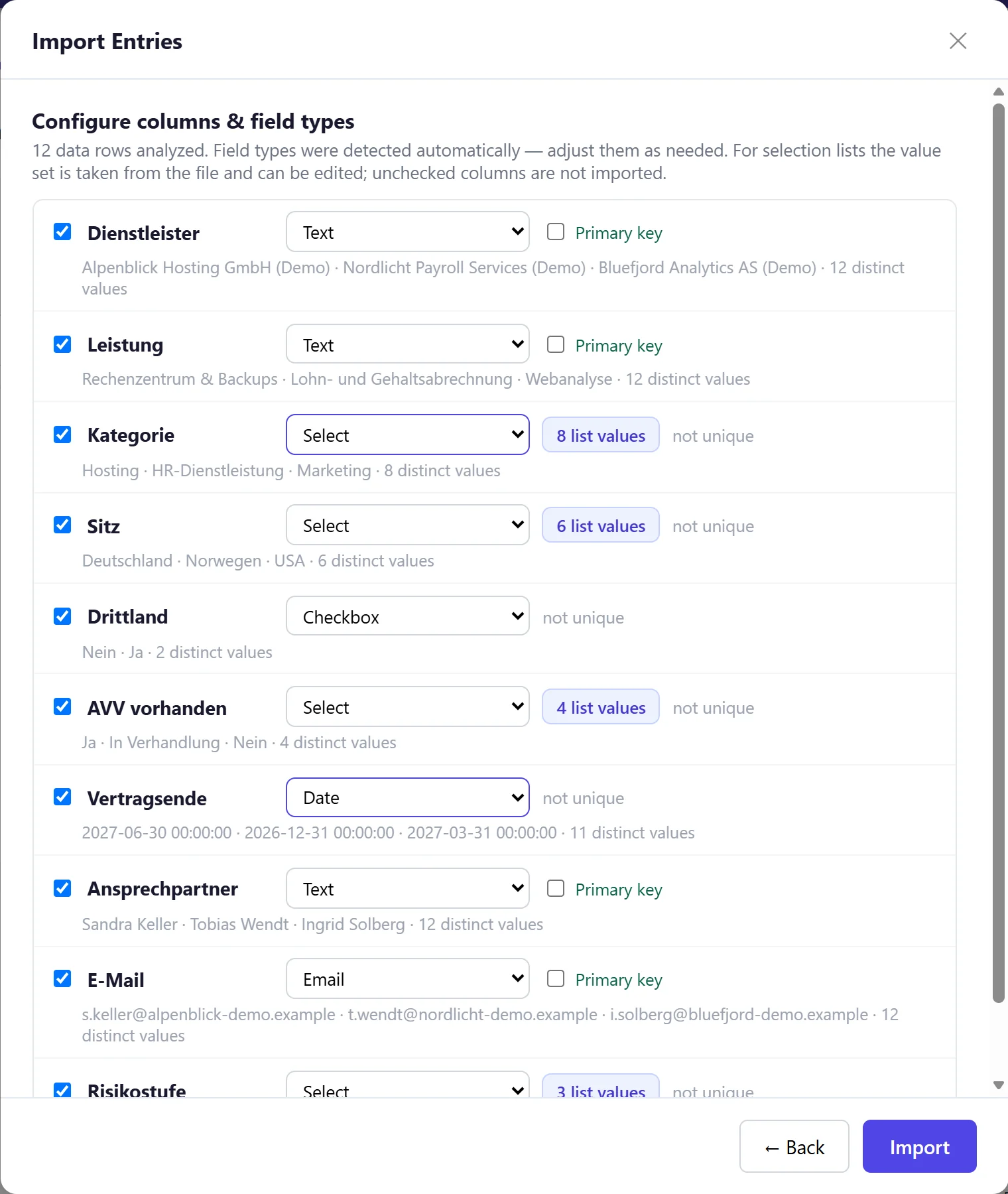
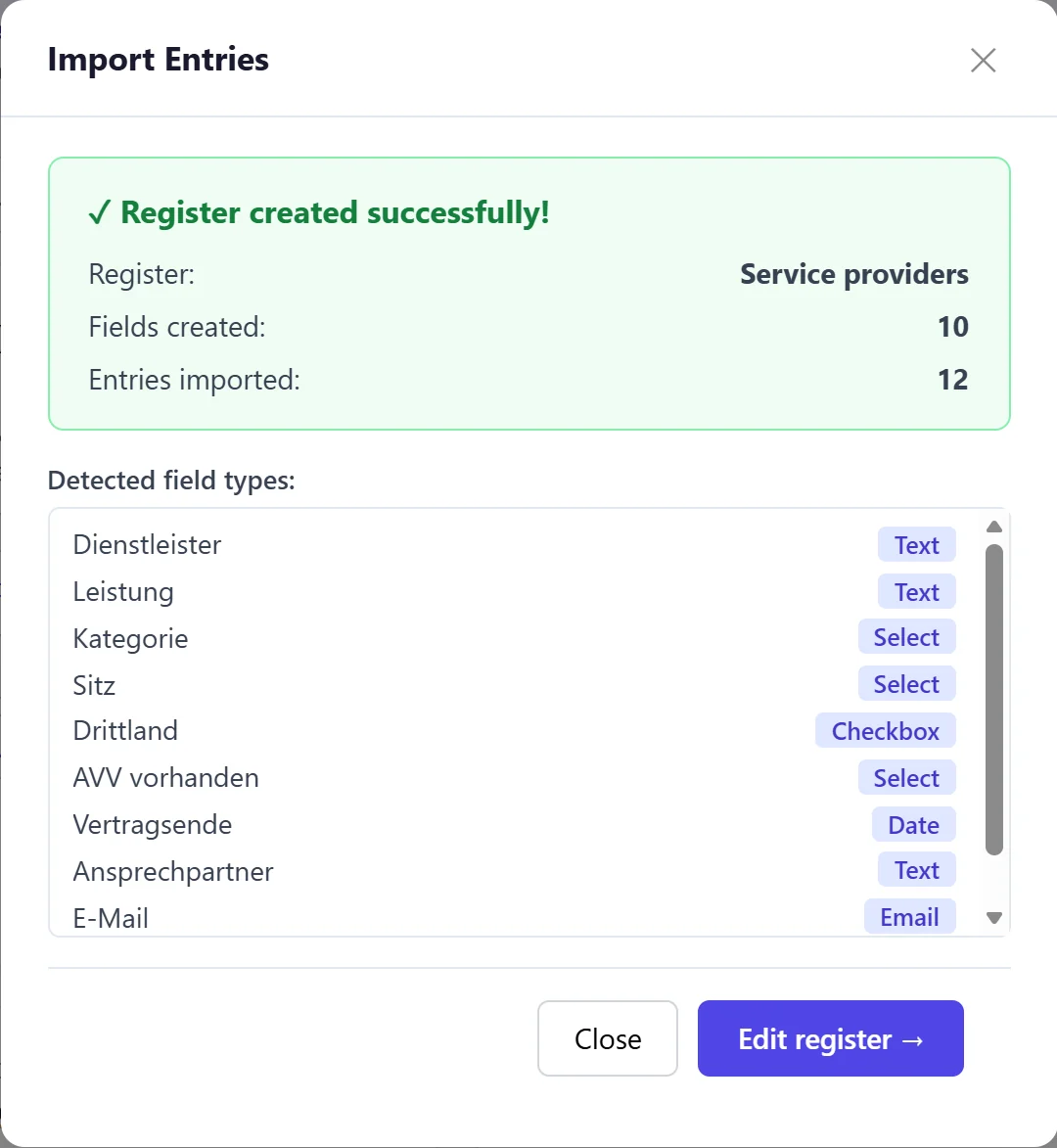
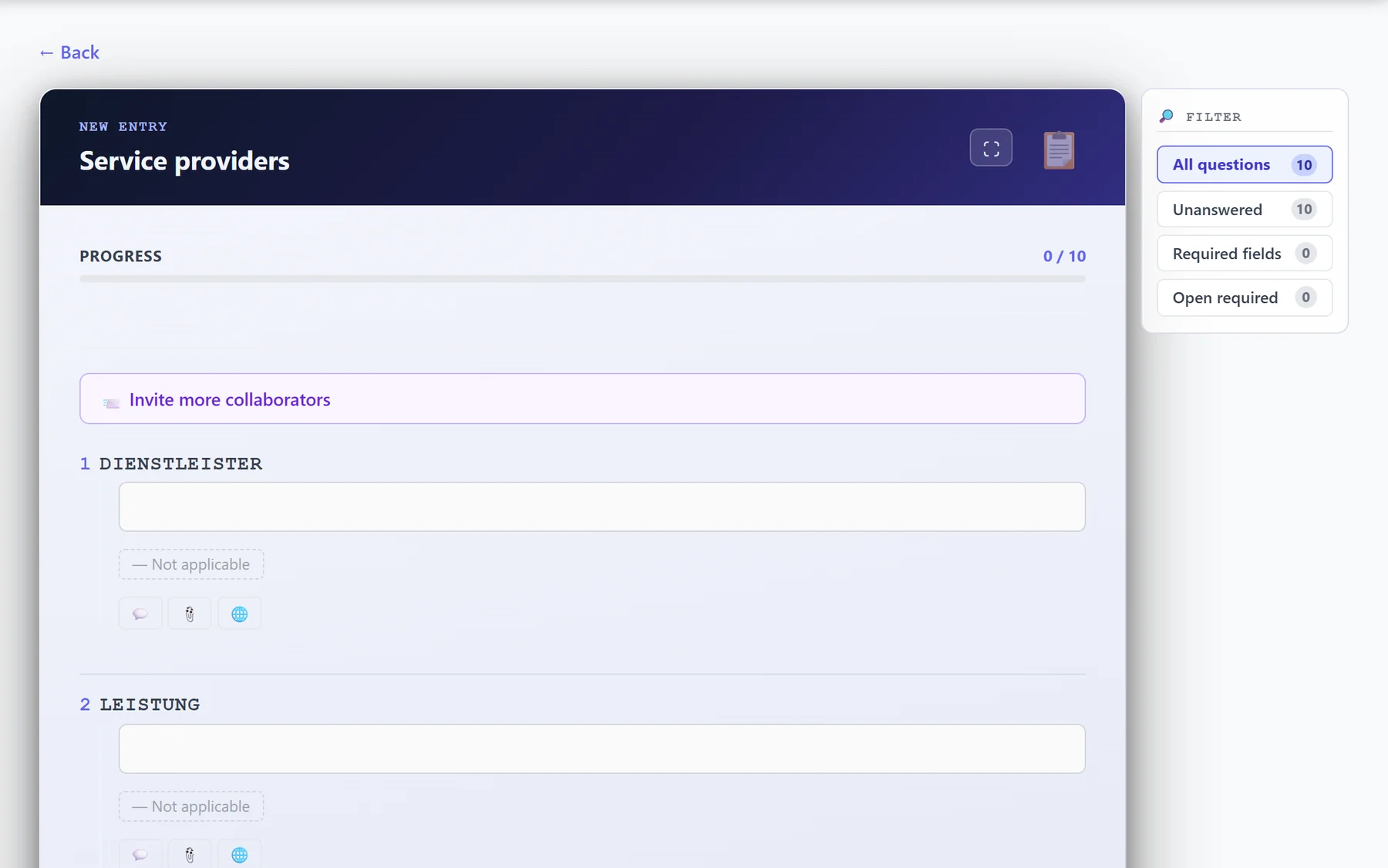
It does not get any faster: Floriti reads your Excel or CSV file, recognises the field types and takes picklists straight from the data. You check the columns, and one click later the register is ready with all its entries and a matching questionnaire.
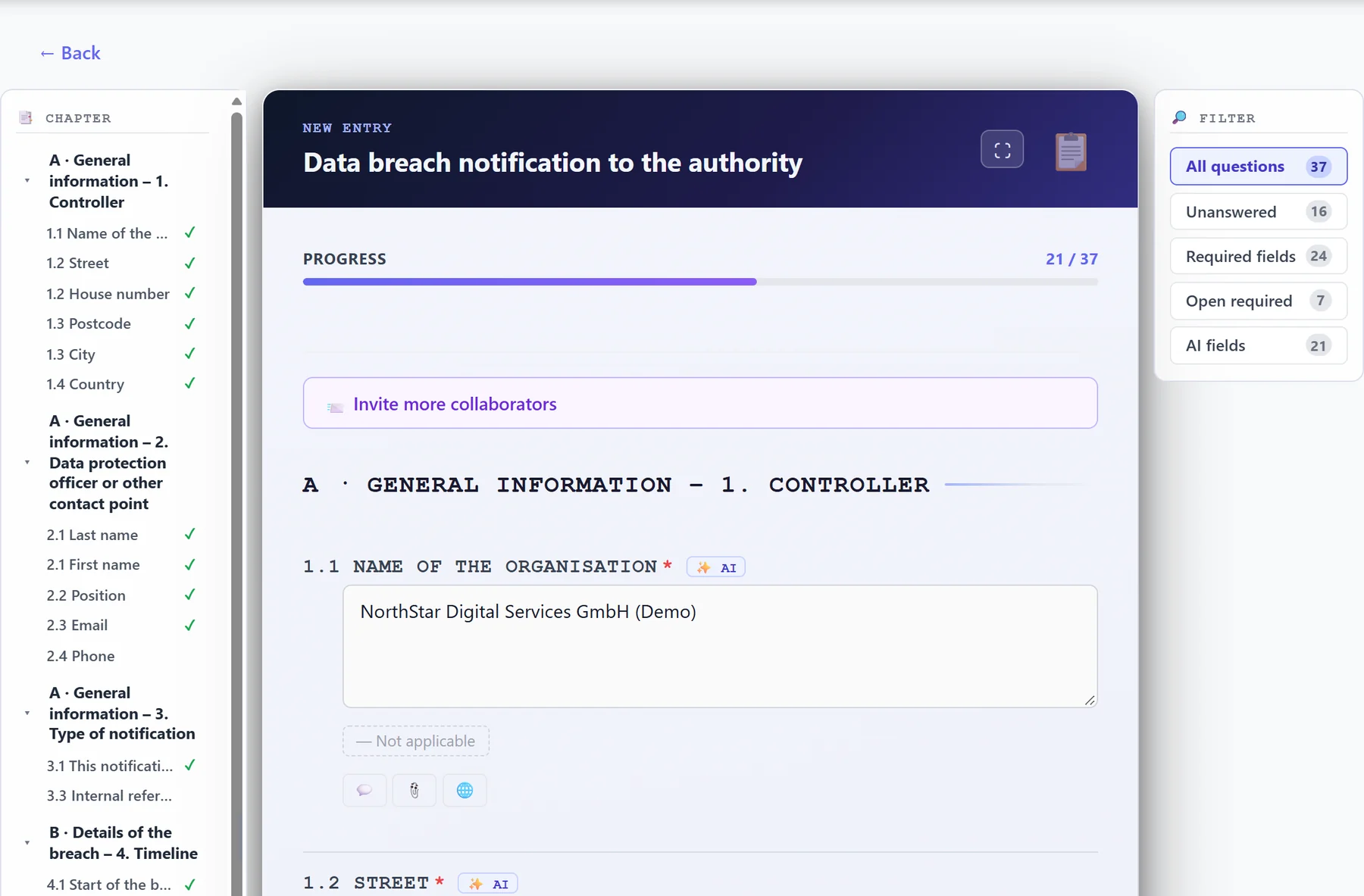
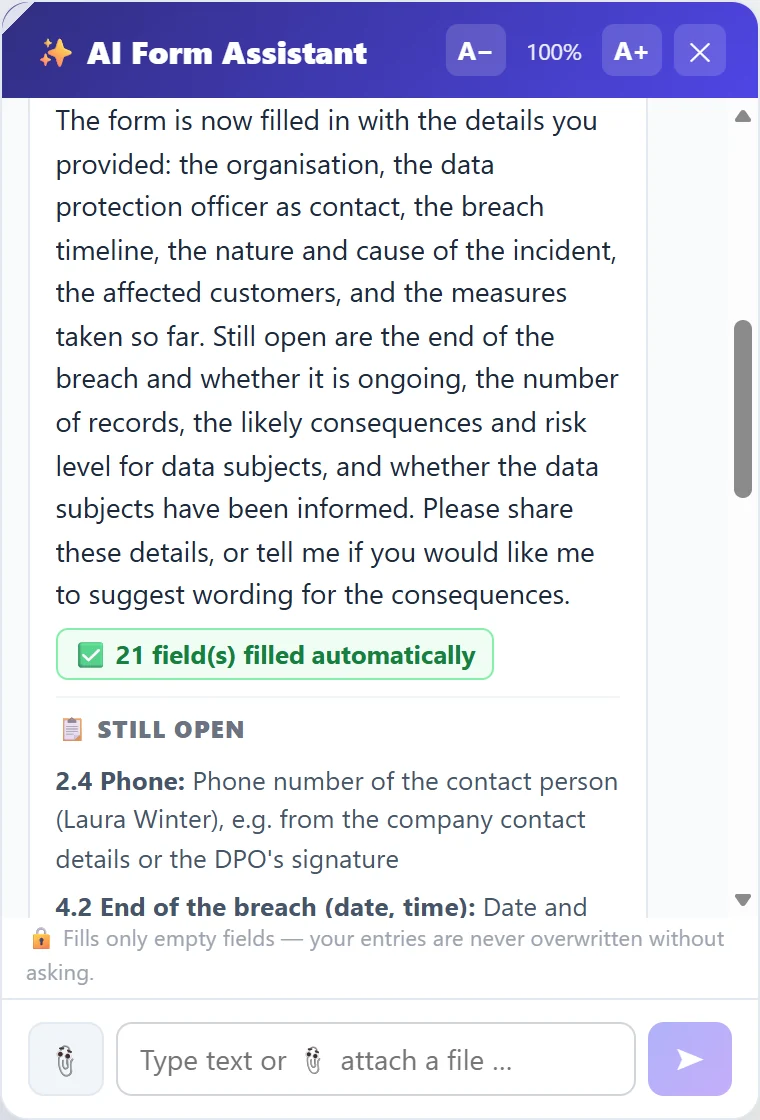
A few sentences are enough, or simply drop in a document: the AI fills in everything it finds.
Describe the case in your own words. Or simply hand over a document. The assistant enters what it recognises, marks every field it filled and tells you what is still missing. It never overwrites your own input.
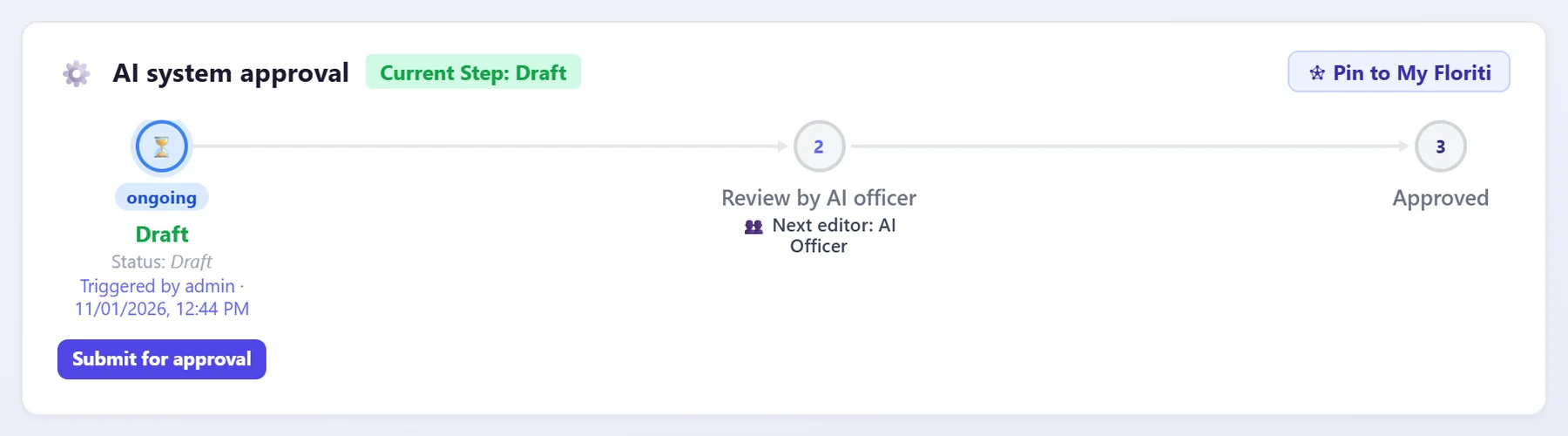
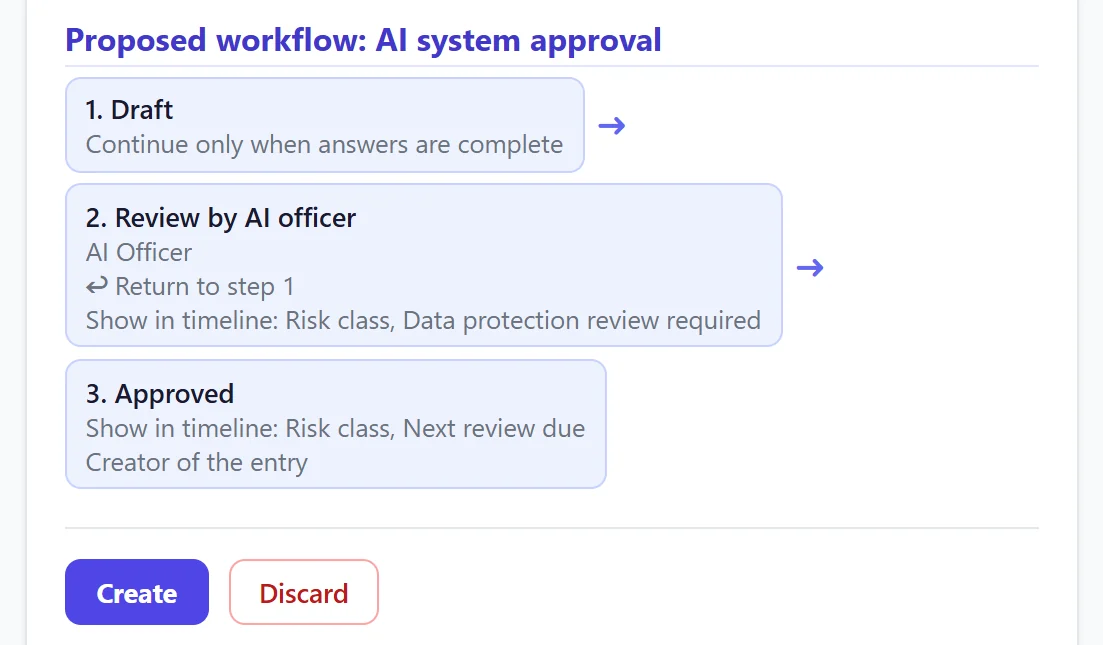
Unlimited workflows. Every step lands with the right person.
You decide which user group reviews, approves or sends back. At every step Floriti shows who is next, sends reminders, logs everything and keeps the order. The round-robin e-mail “Who still has to sign this off?” is a thing of the past.
No more “Did we actually record that anywhere?”
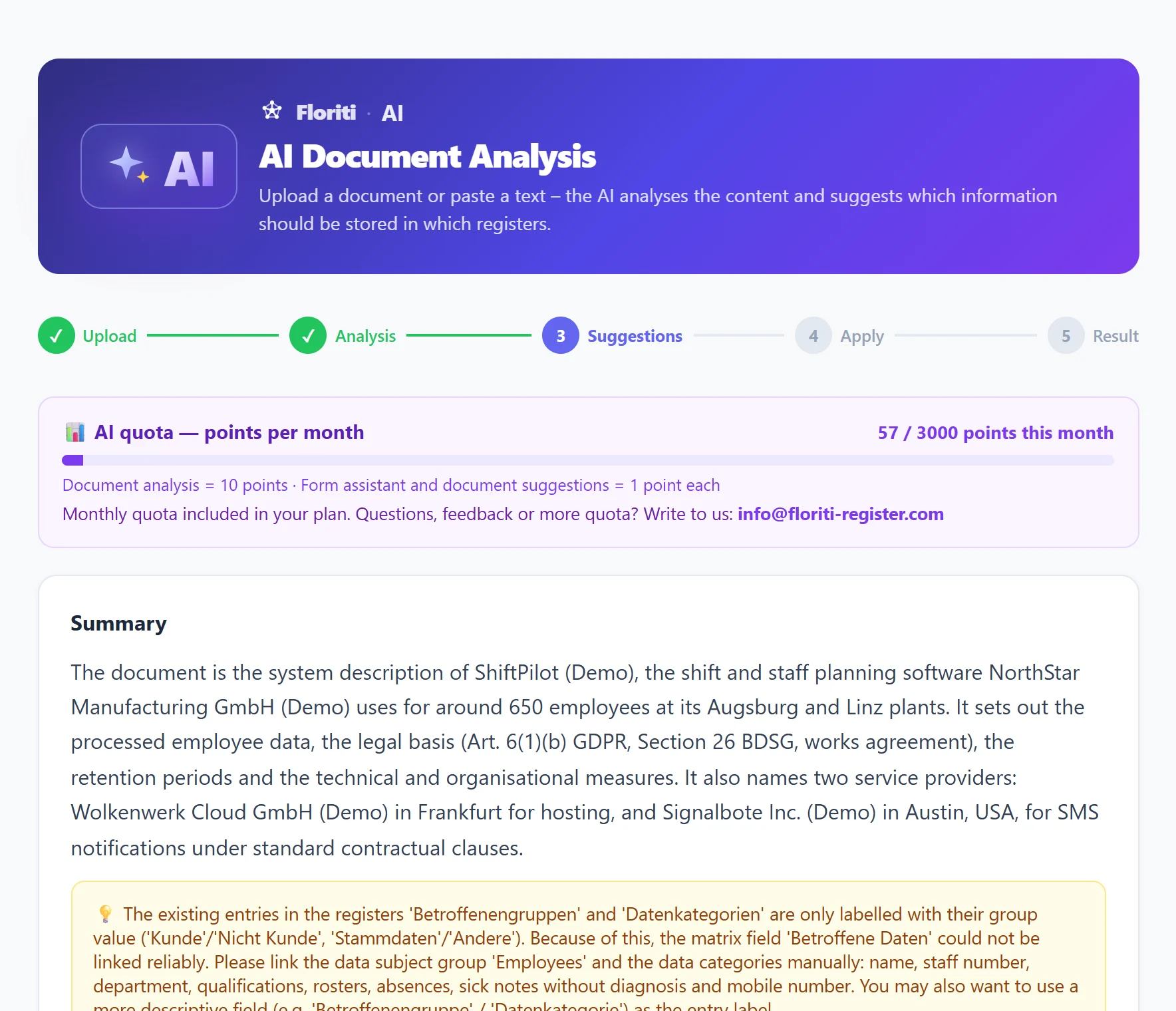
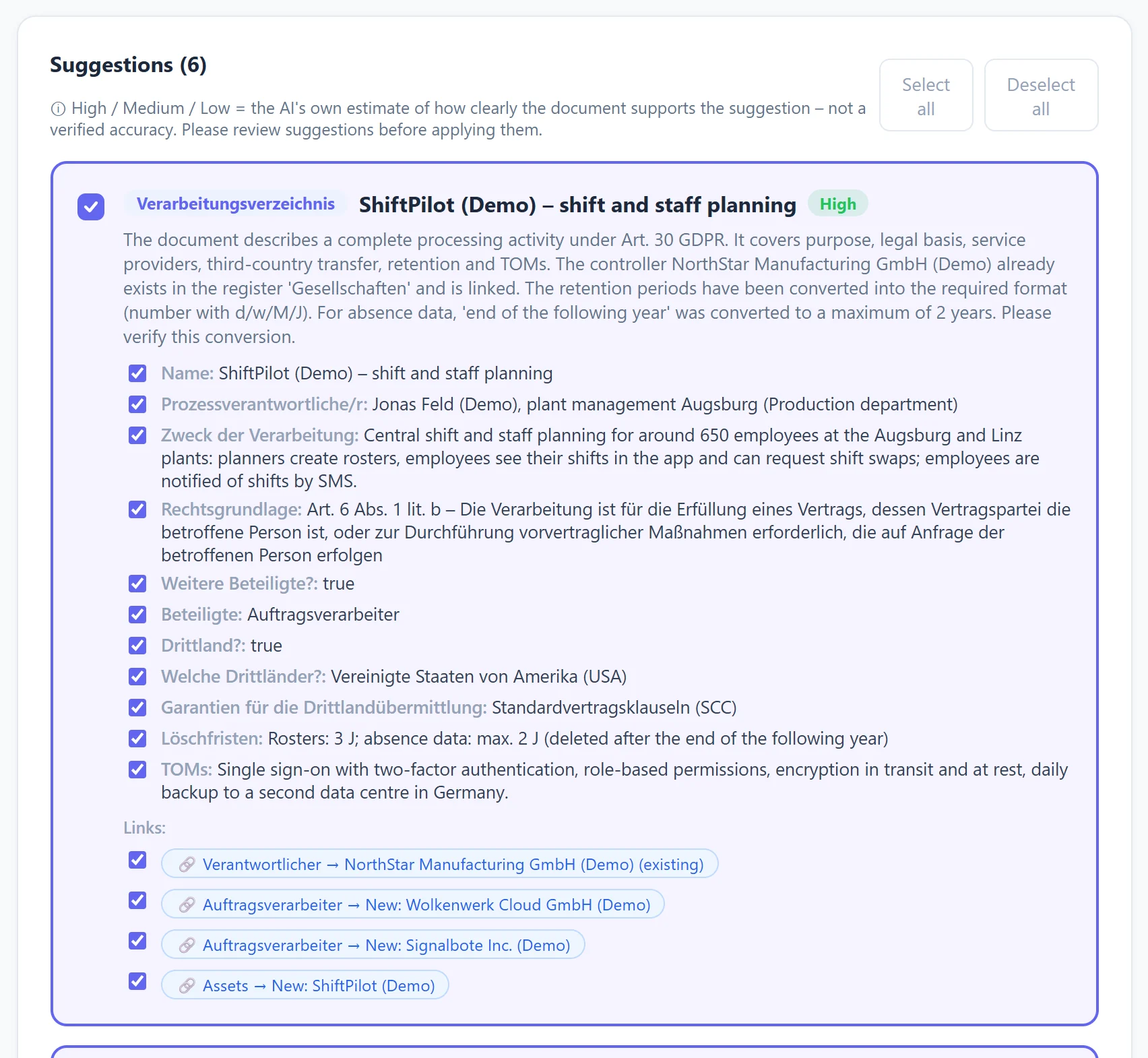
Contracts, policies, system descriptions: the AI reads along, summarises and suggests entries for your records of processing, new service providers, assets and links. It even points out possible duplicate entries. You review the suggestions, one click, and everything is created.
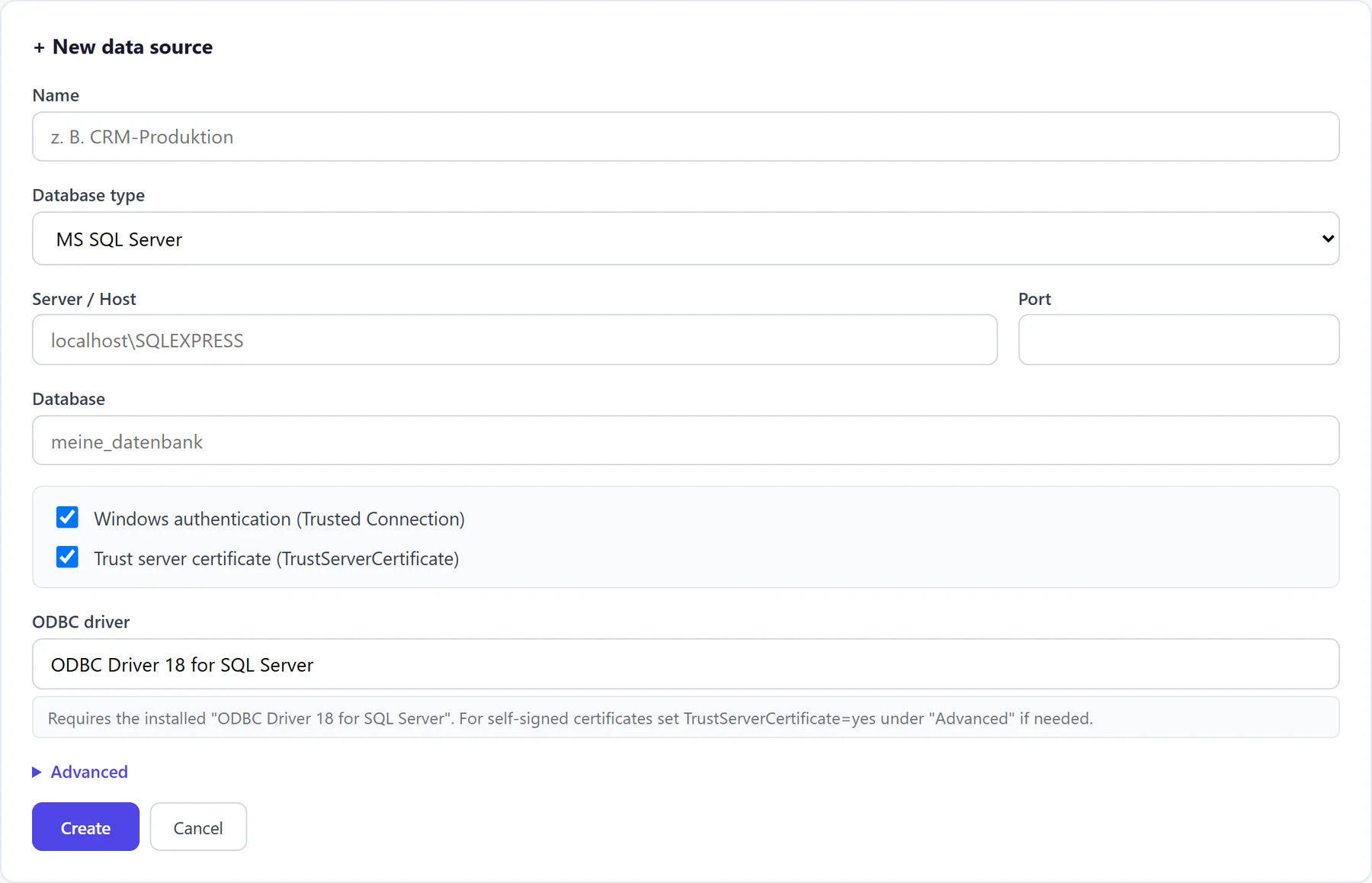
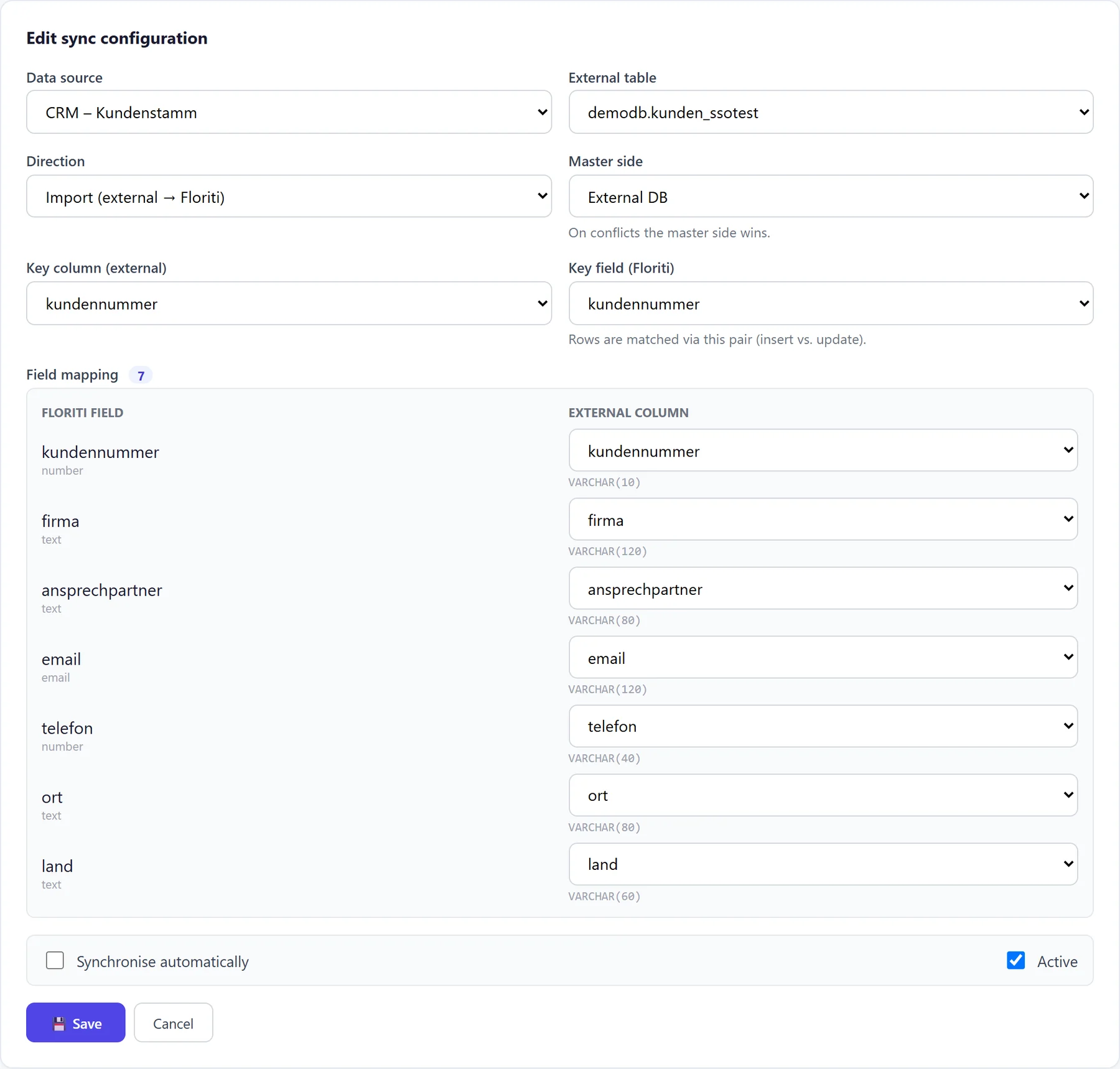
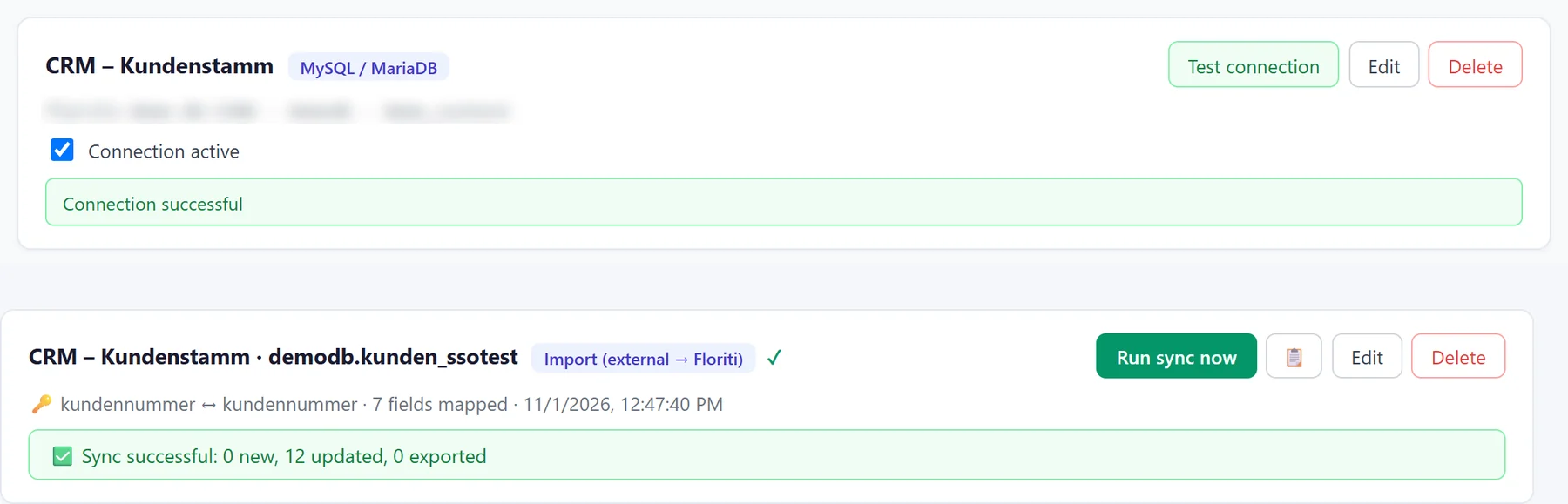
Floriti synchronises registers with tables from your databases.
Connect Floriti to MS SQL Server, PostgreSQL, MySQL/MariaDB, Oracle or SQLite (SAP HANA on request, provided your SAP licence permits the connection). Choose the table and key, map the columns, and Floriti keeps the data in sync: as an import, an export or in both directions. Your system is not on the list? Talk to us: we can add further connectors by arrangement.
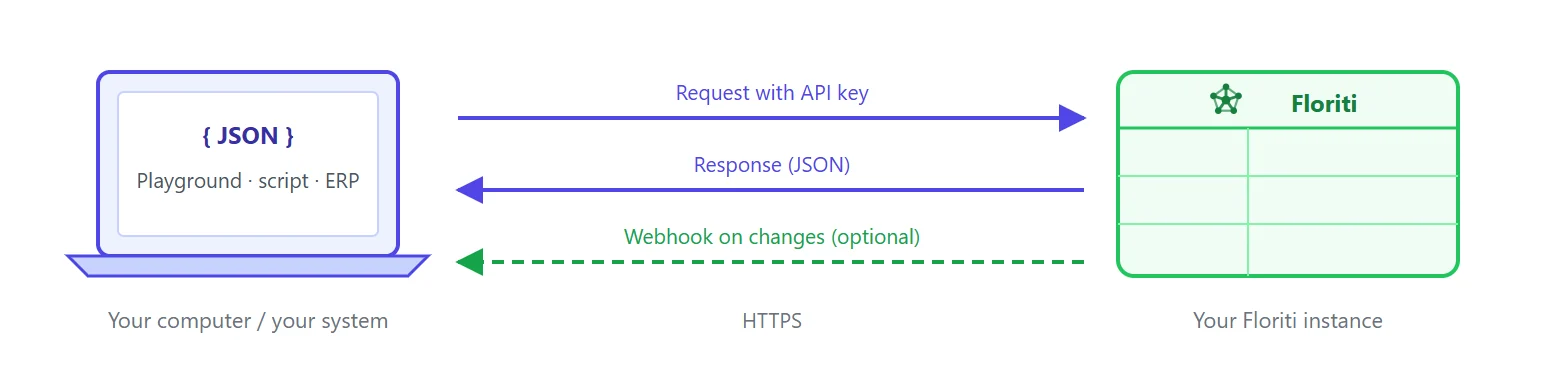
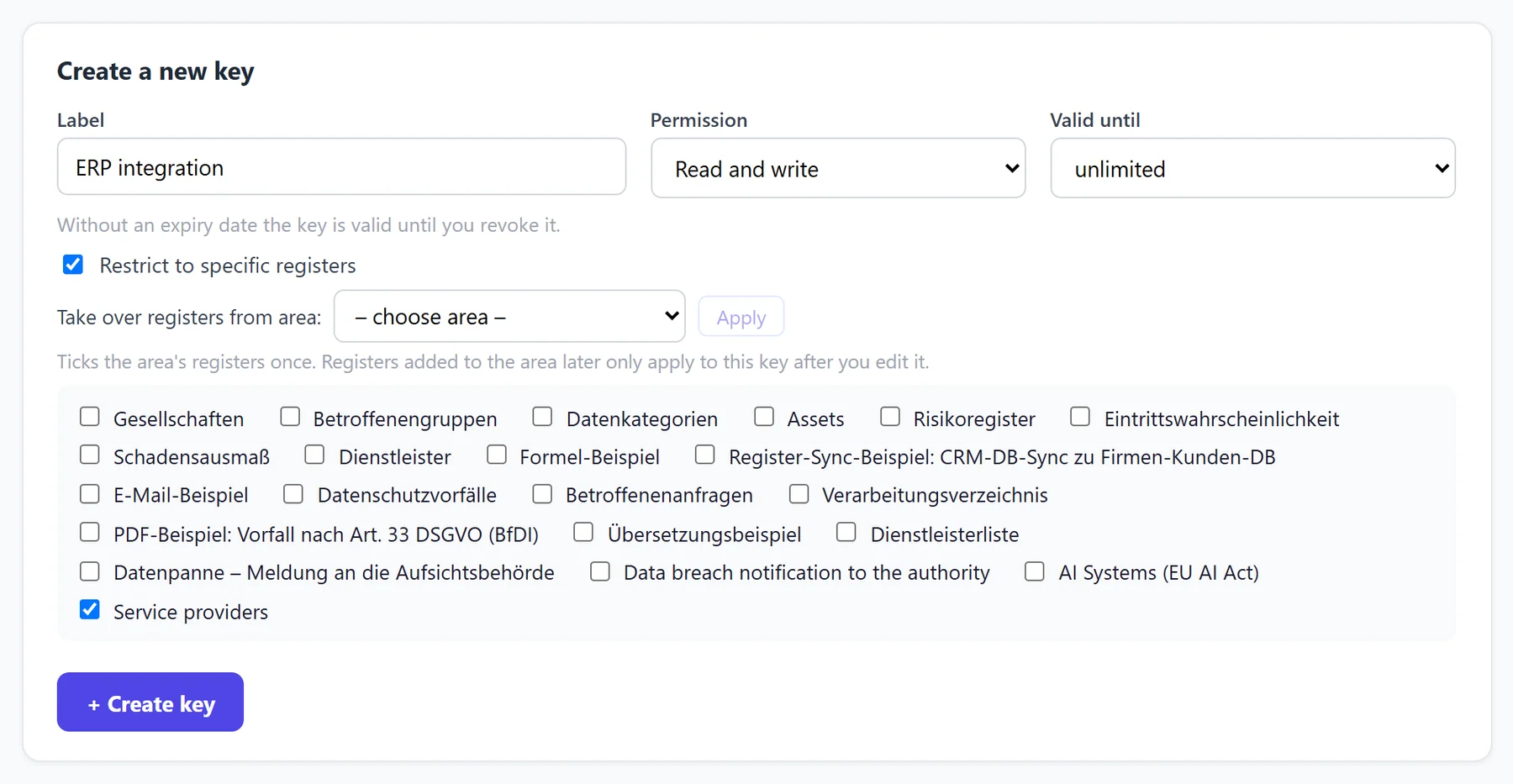
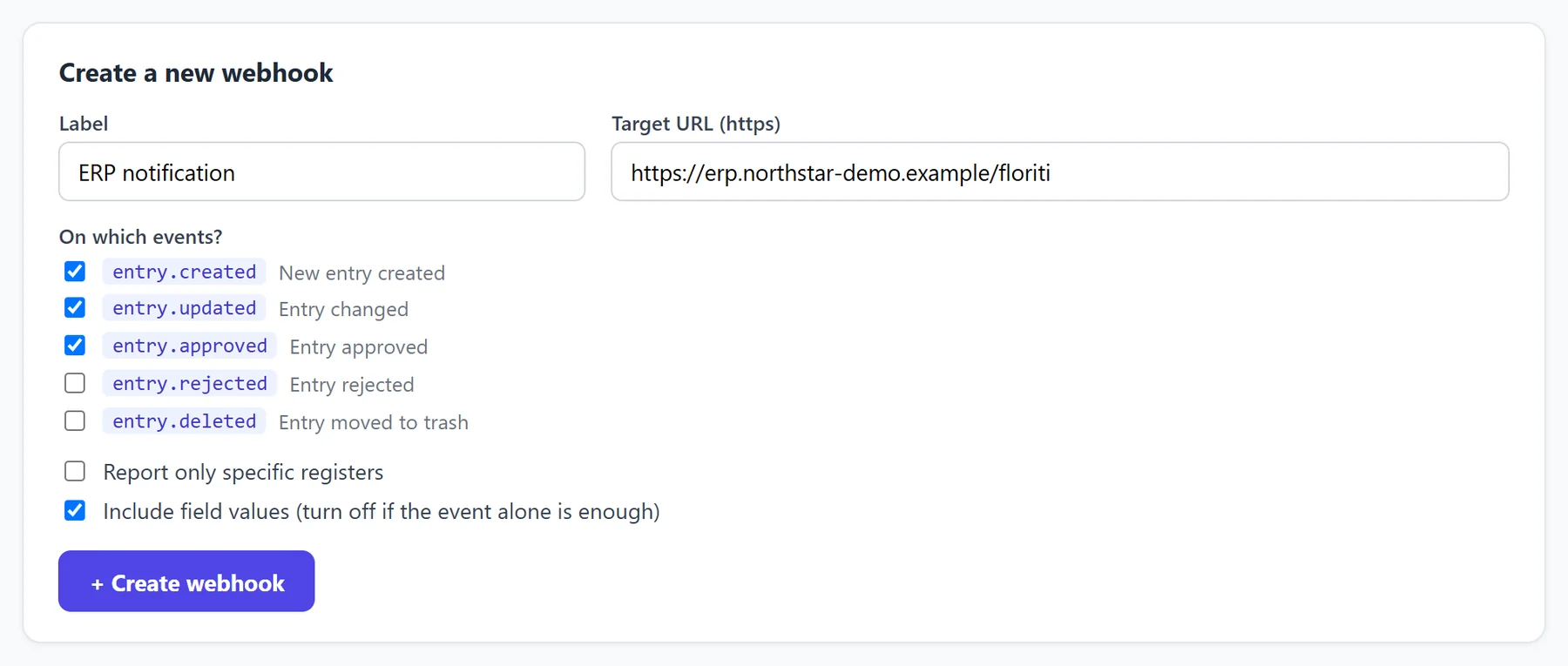
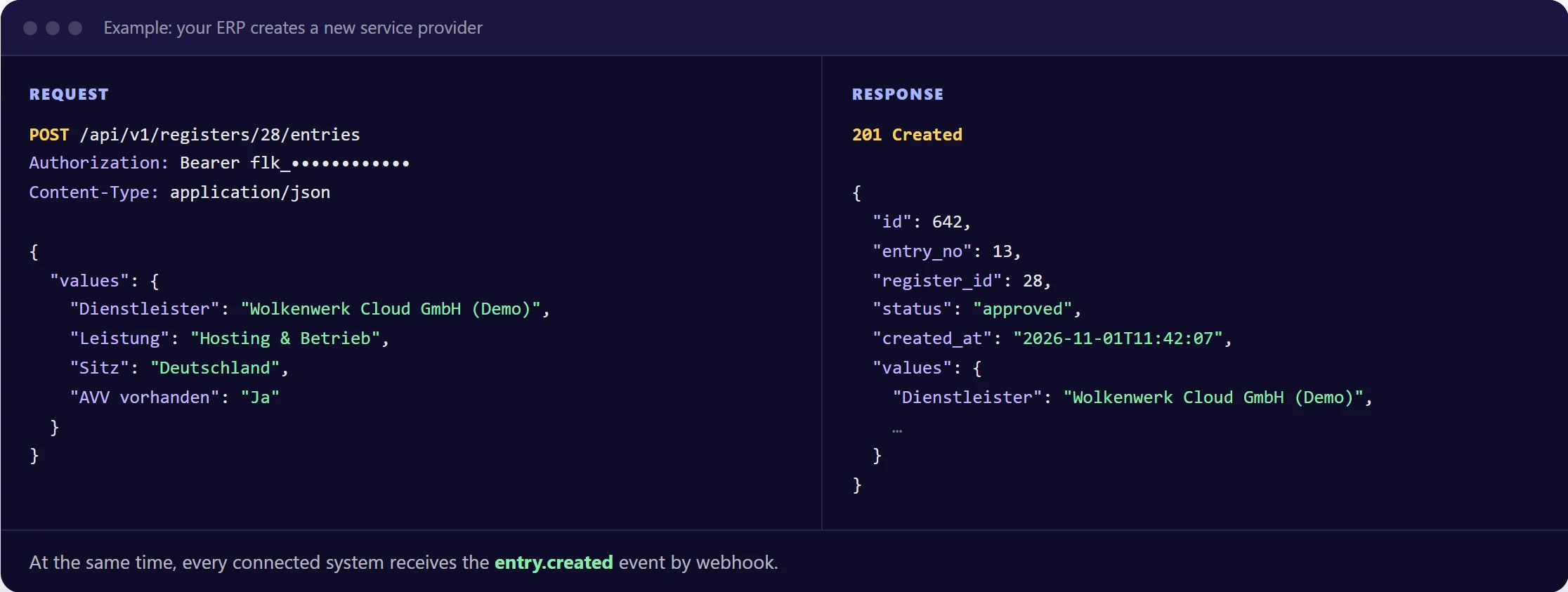
Your applications read and write entries, and Floriti speaks up on its own as soon as something happens.
Whether ticketing system, intranet or your own software: via the REST API your systems create, change or read entries without going through the user interface. In return, Floriti notifies them by webhook as soon as an entry is created, changed, approved or rejected.
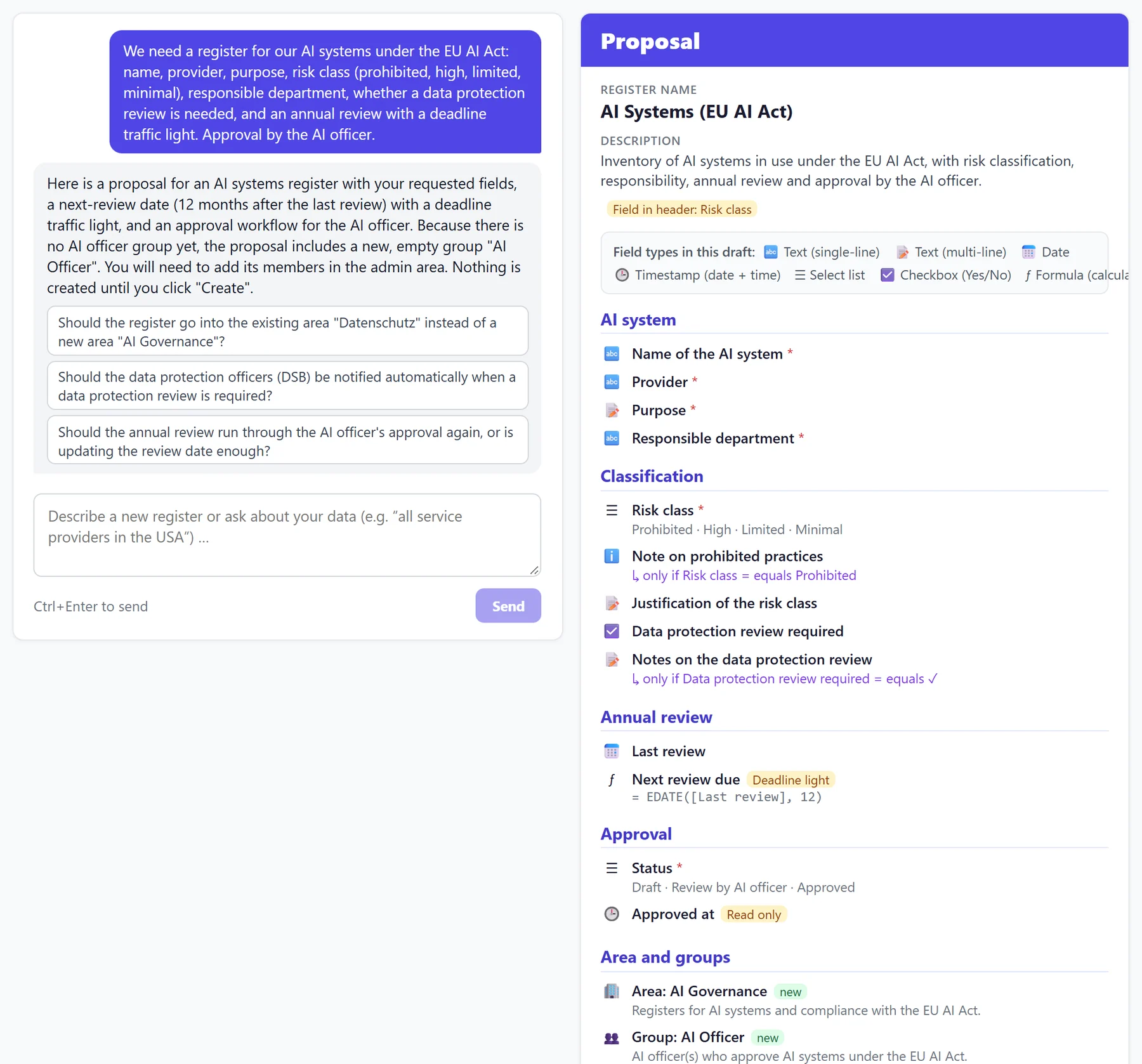
One sentence is enough: the admin chatbot drafts fields, formulas, deadlines and the approval workflow.
Describe your register in your own words, for example “a register for our AI systems under the AI Act, with risk class, annual review and approval by the AI officer”. The chatbot presents a complete draft and asks targeted questions where something is still open. You refine it in the conversation and create it when everything fits.
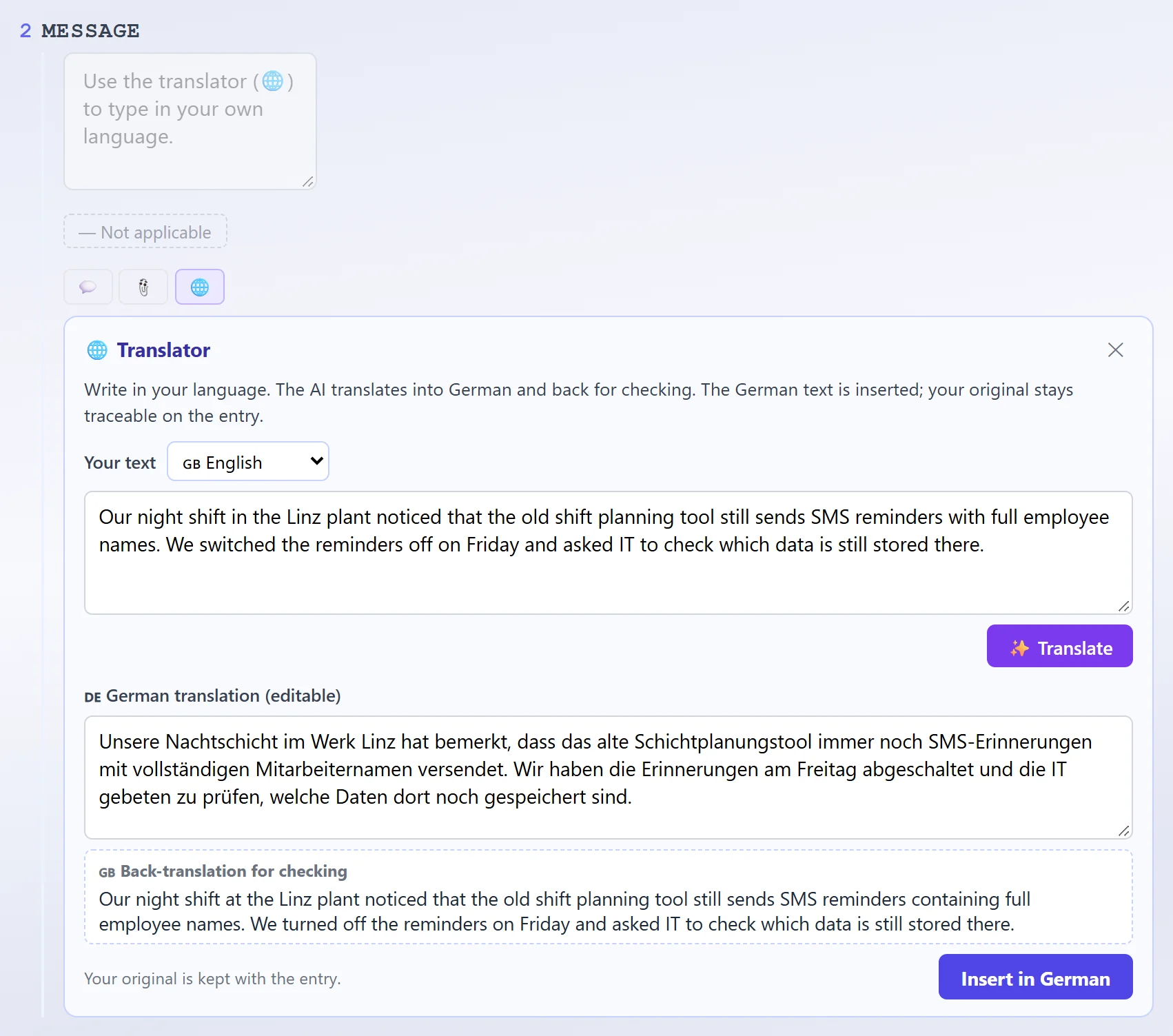
Colleagues from other countries simply join in.
Anyone who does not speak the register language writes in their own. The AI translates into the register language and back again for checking. The translated text is inserted, and the original remains traceable on the entry.
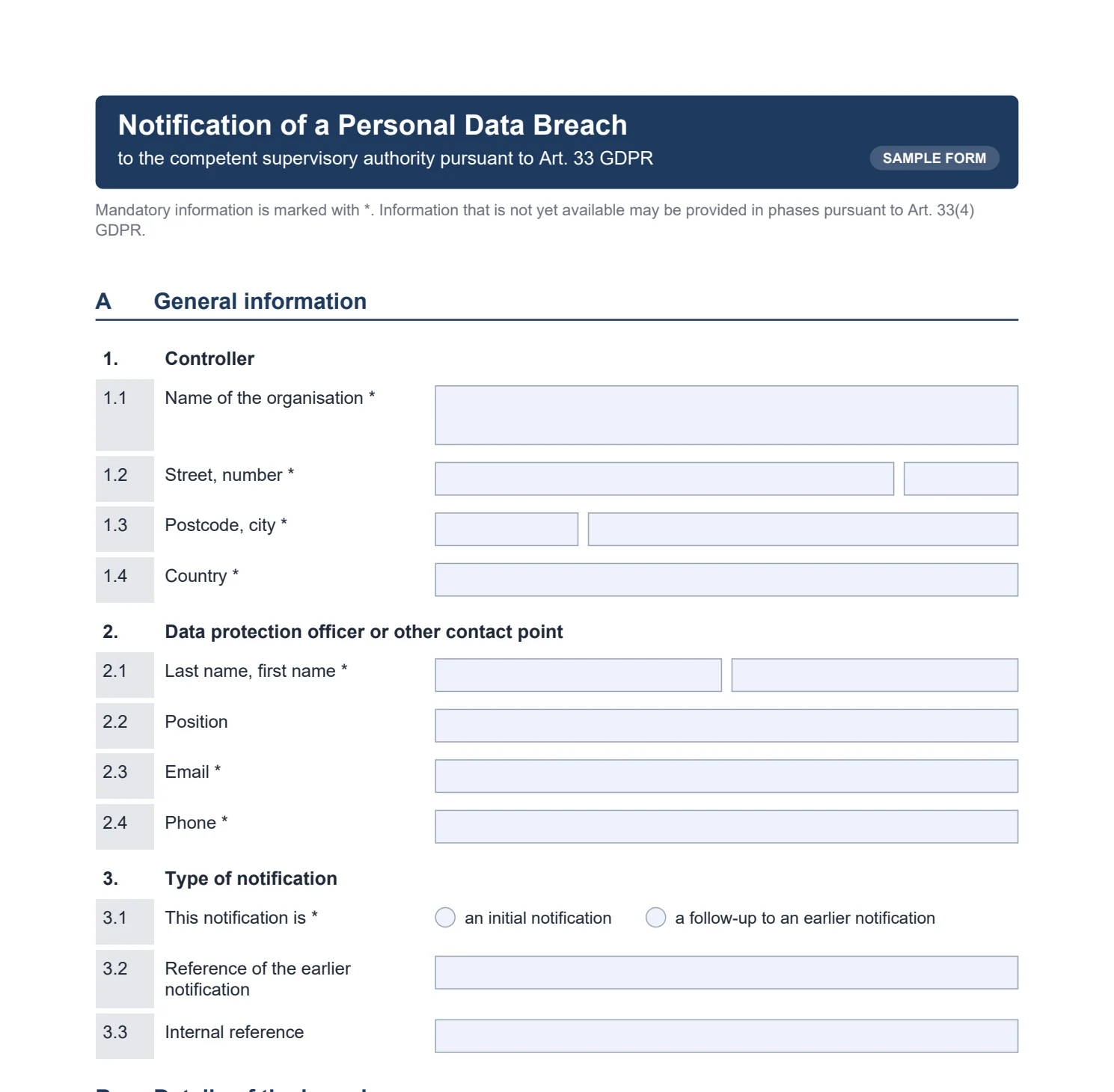
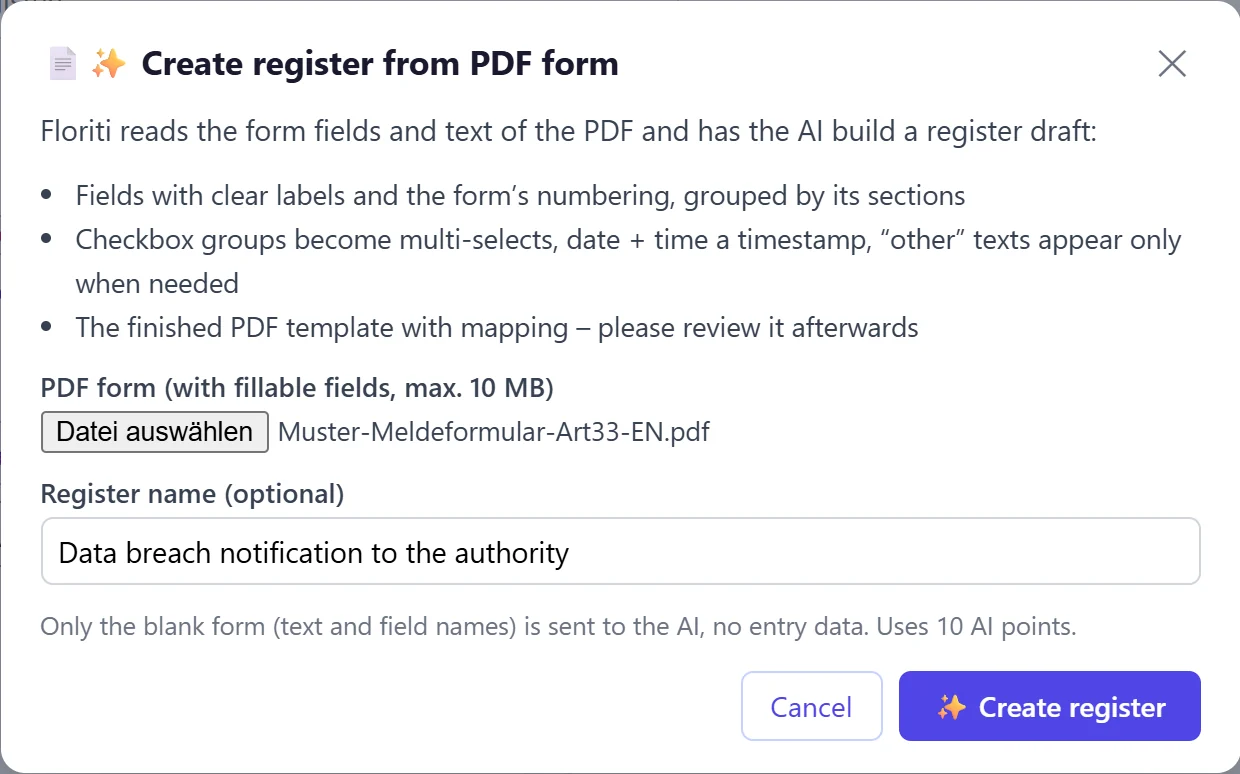
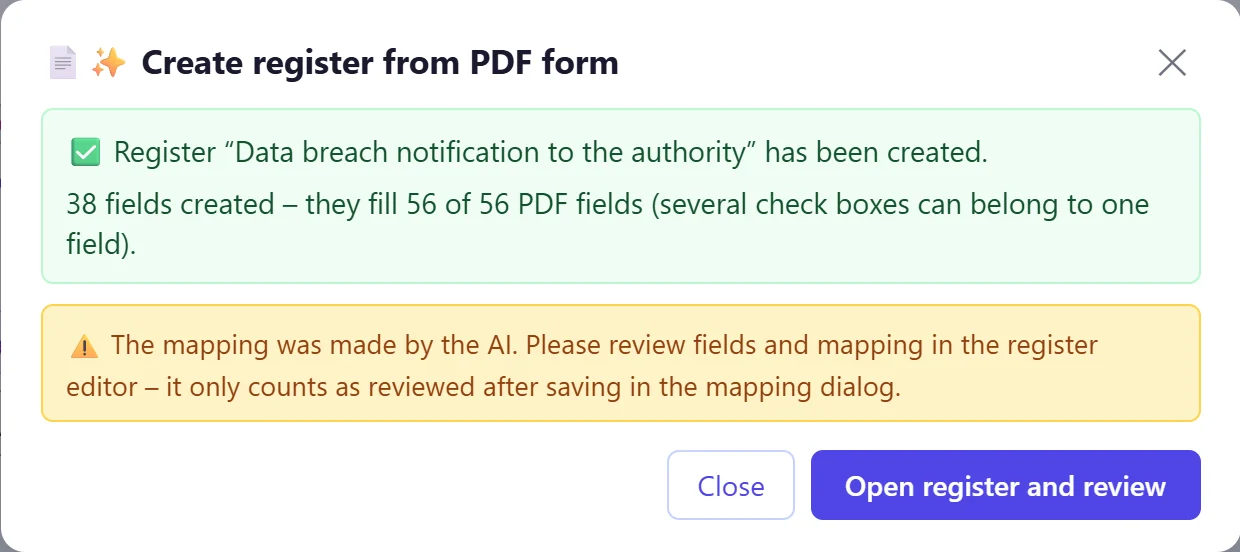
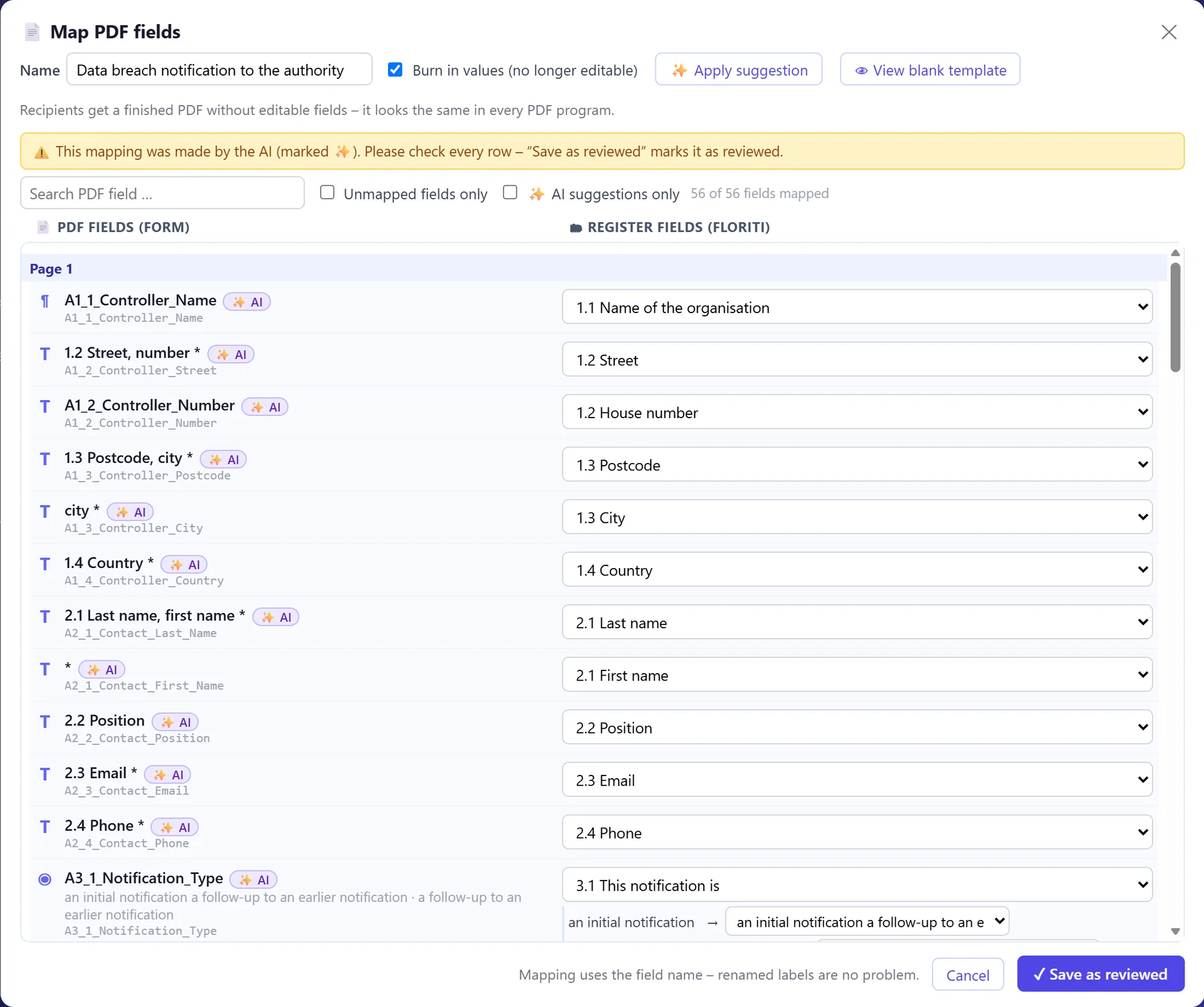
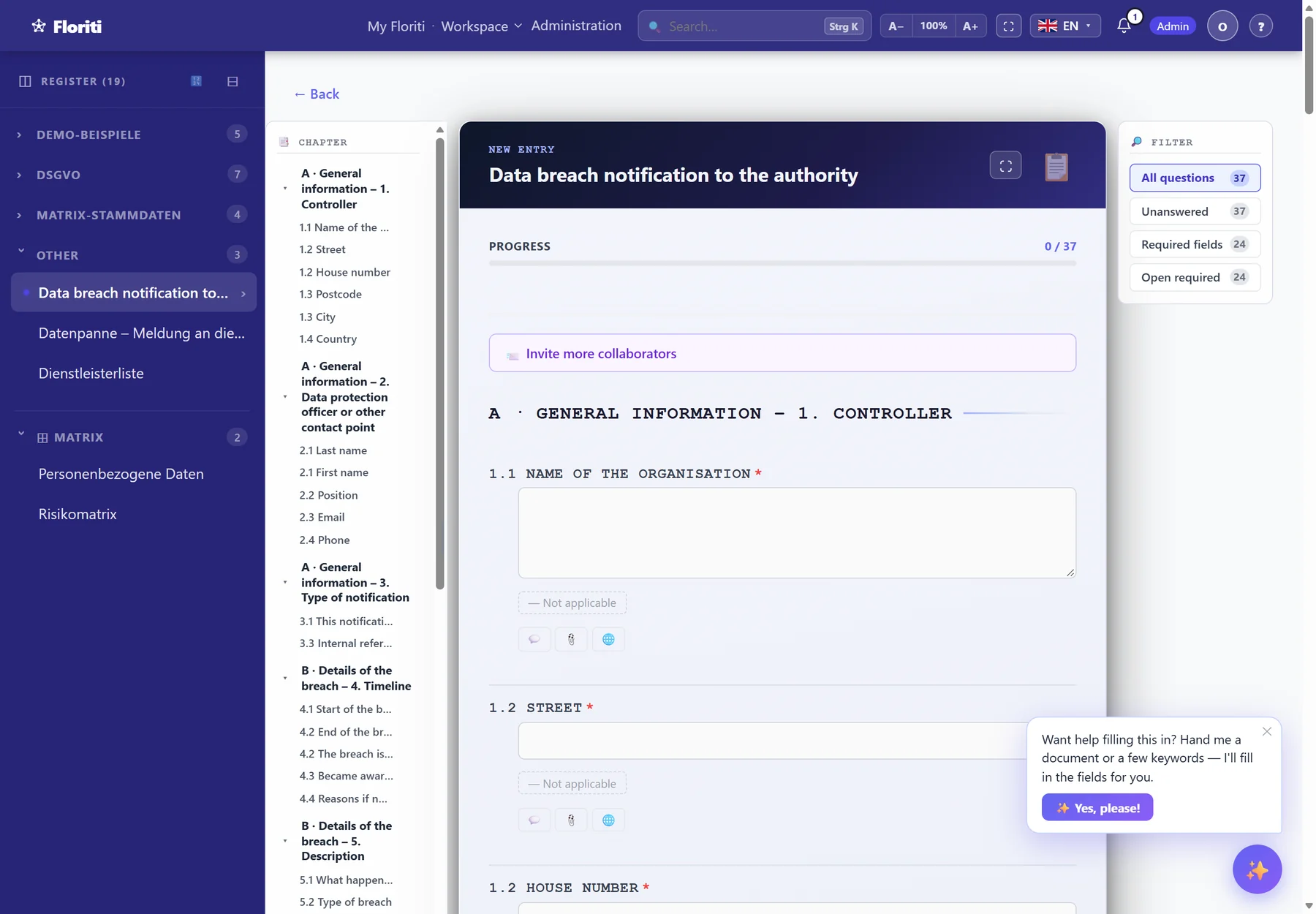
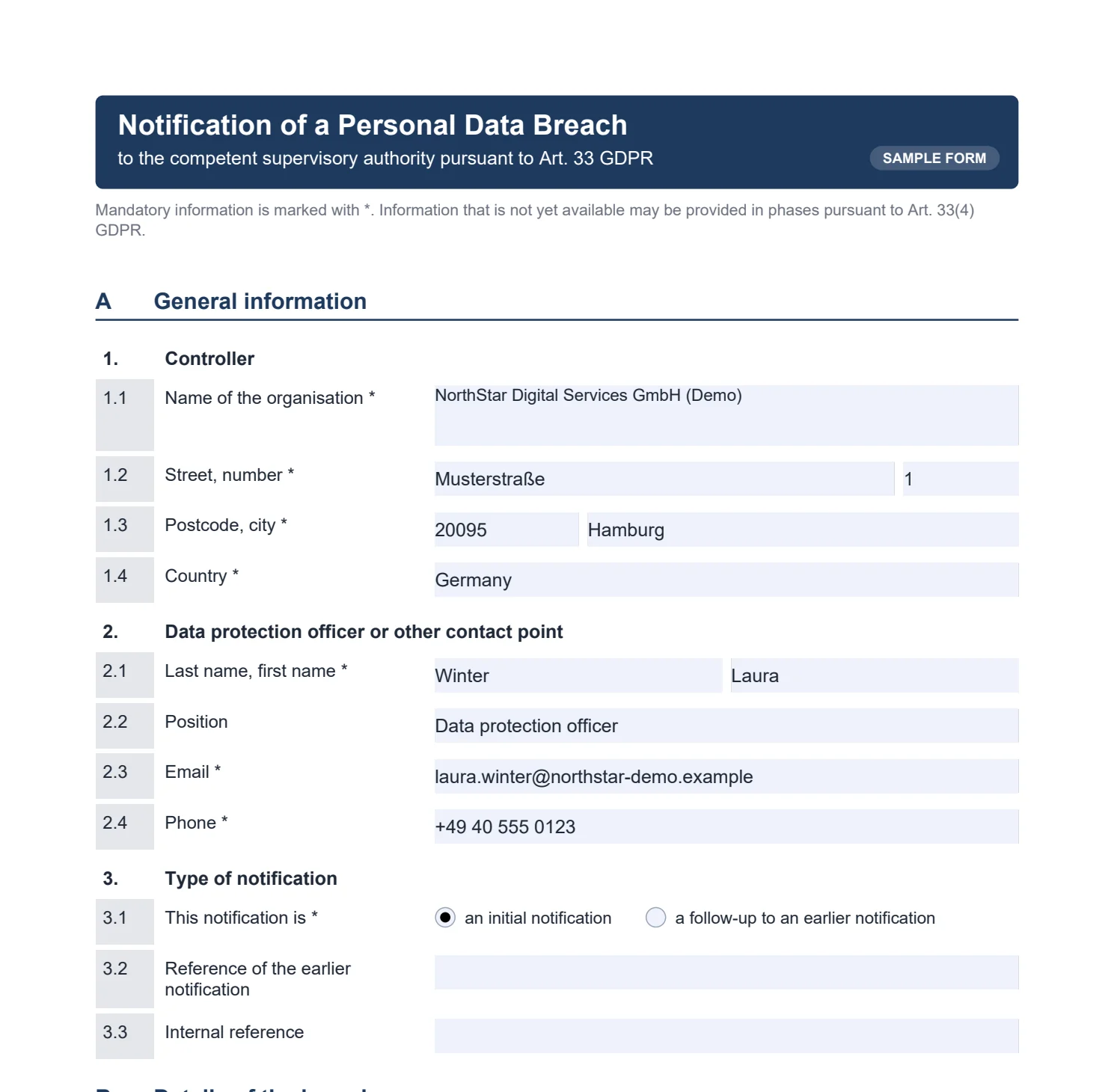
Upload a PDF form. Floriti takes care of the rest.
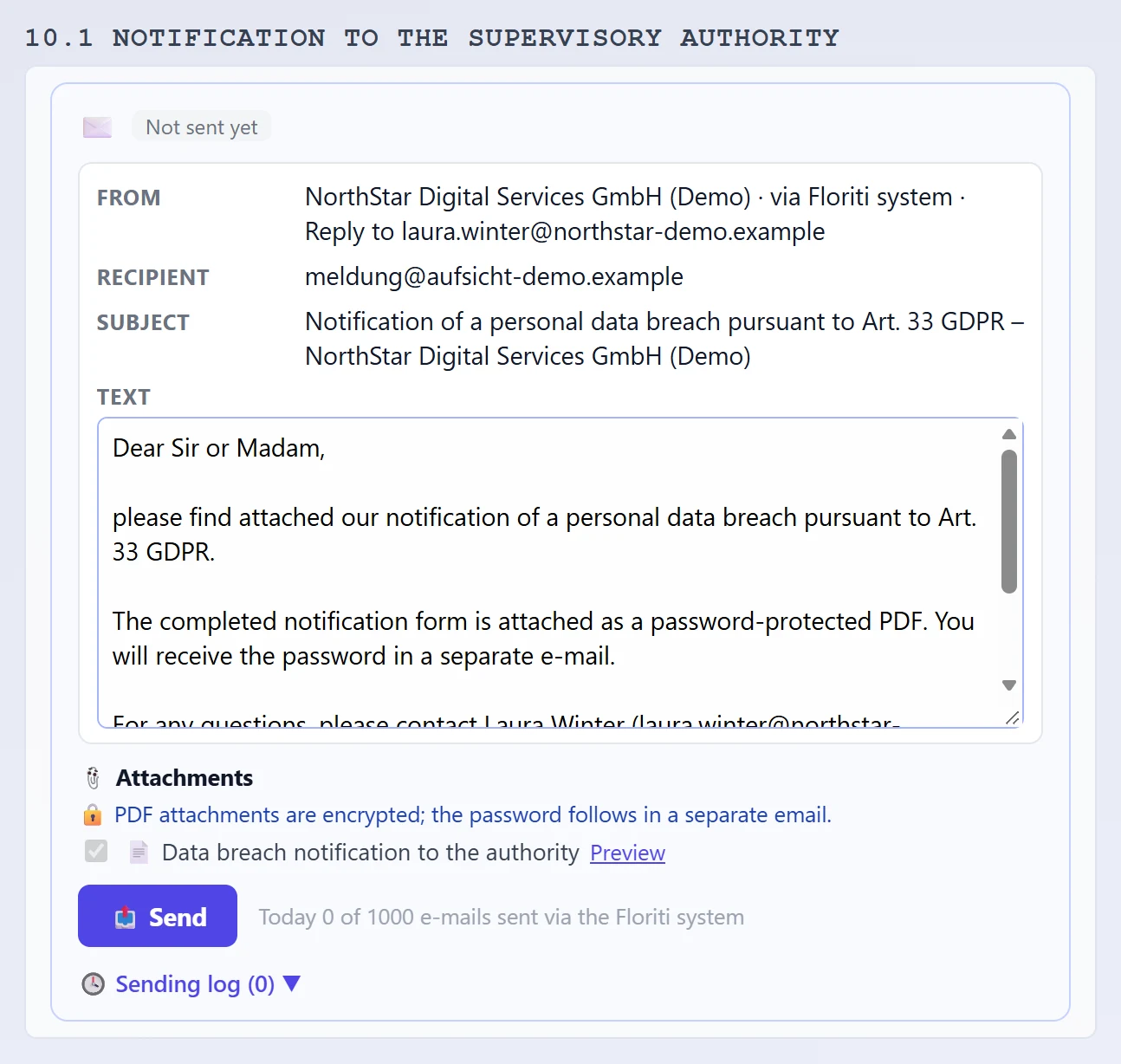
Floriti reads the form and automatically builds a matching register with a questionnaire. Your colleagues just answer the questions, and Floriti fills in the PDF, ready to send, encrypted if you wish.
Everything that makes working with registers easier.
With one sentence in the admin chatbot or a few clicks in the editor. No programming and no waiting for IT. Changes are possible at any time, without losing data.
Im Handbuch lesen →Deadlines are calculated automatically and colour-coded. Nothing slips through, not even the one-month deadline for data subject requests.
Im Handbuch lesen →Complete history per field. Changes to registers are compared as drafts and can be rolled back. Ideal for audits.
Im Handbuch lesen →Data subject requests, whistleblower reports or supplier surveys in your colours. The entries land directly in the right register.
Im Handbuch lesen →Combine data from several registers, filter, export or send automatically by e-mail.
Im Handbuch lesen →Single sign-on (e.g. Microsoft Entra), open API with webhooks, sync with external databases and Excel import.
Im Handbuch lesen →User interface and manual in 10 languages. Filling in and approving also works on a smartphone.
Im Handbuch lesen →AI can be switched on and off per register, with a European AI provider if you wish.
Im Handbuch lesen →Your own demo instance with sample data in a few minutes. Updates arrive automatically.
Try it free now →Concrete measures instead of empty promises.
Try Floriti for free or let us show it to you in person.